
Ringtones · iPhone
How to Set a Custom Ringtone on iPhone
Updated
Open the ringtone file on your iPhone, tap the Apple Share button, tap View More if needed, then choose Use as Ringtone. If that option isn't there, use Apple's free GarageBand app to export the file as a ringtone.
Set your ringtone in three taps
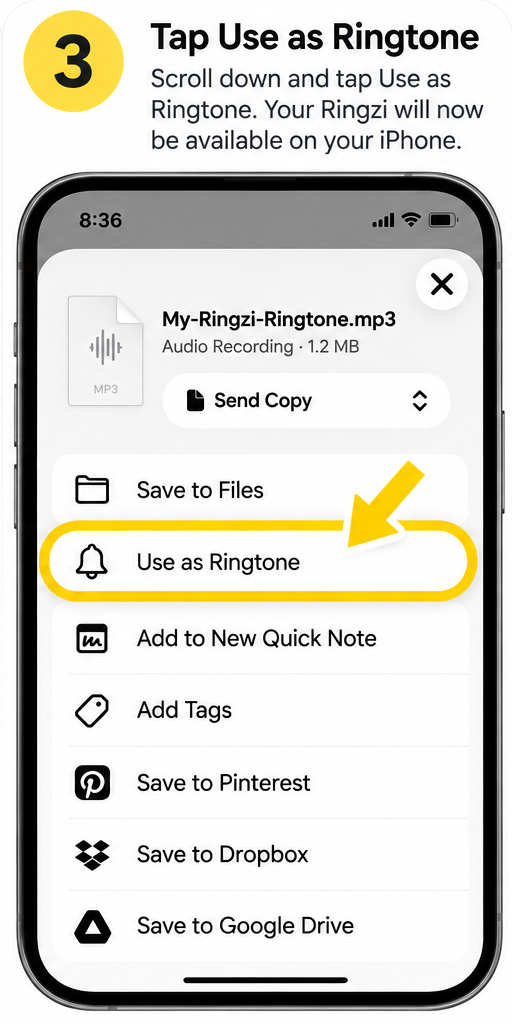
These are the same steps Ringzi shows you after you download — they use Apple's built-in Use as Ringtone option.
Open your downloaded Ringzi, then use the Apple Share button in the bottom-right corner.
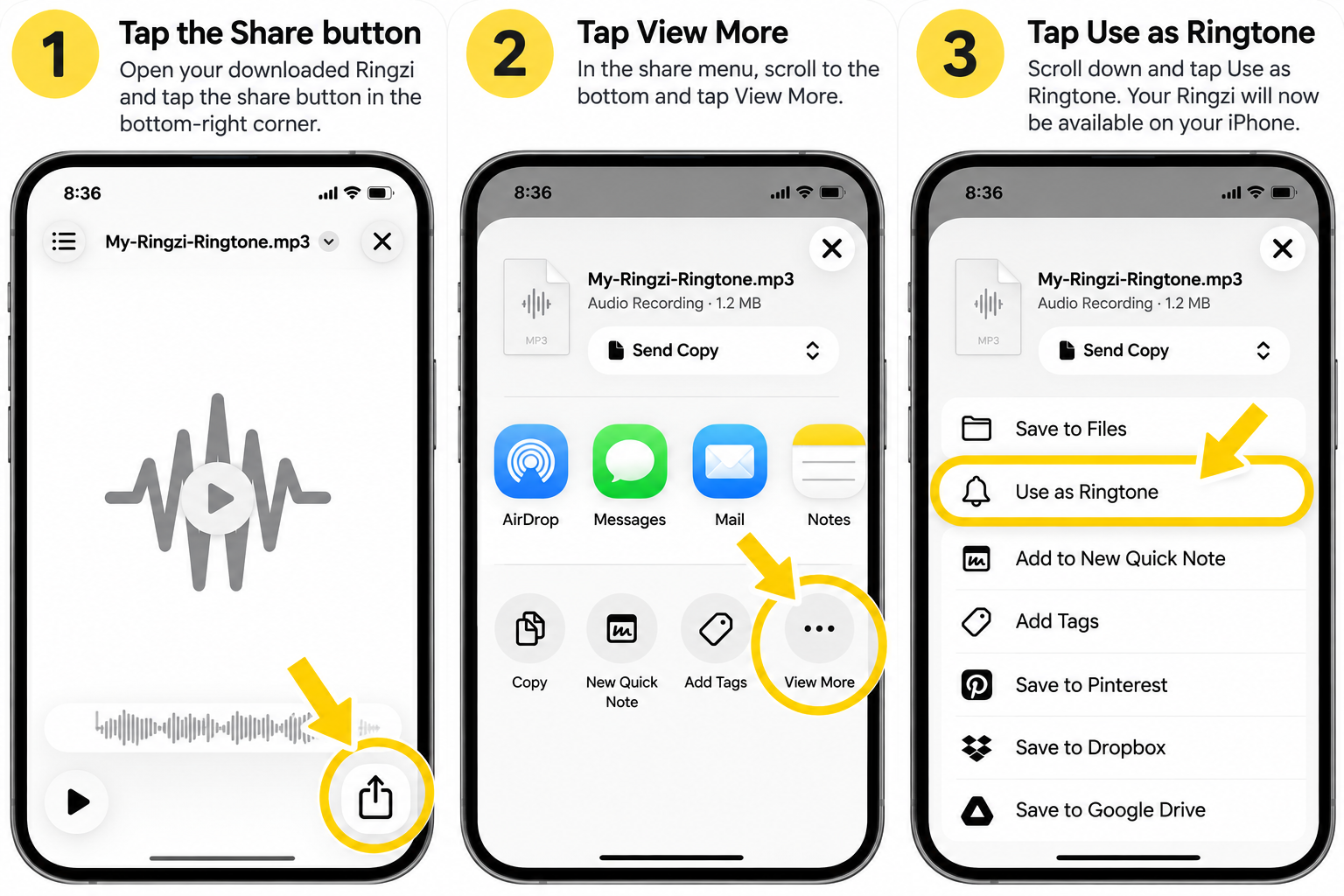
1. Tap Share
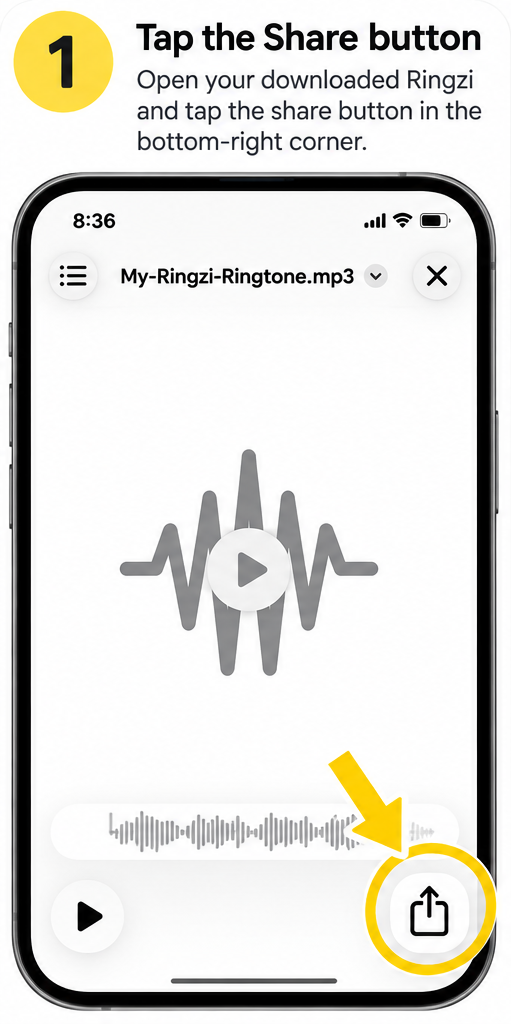
2. Tap View More
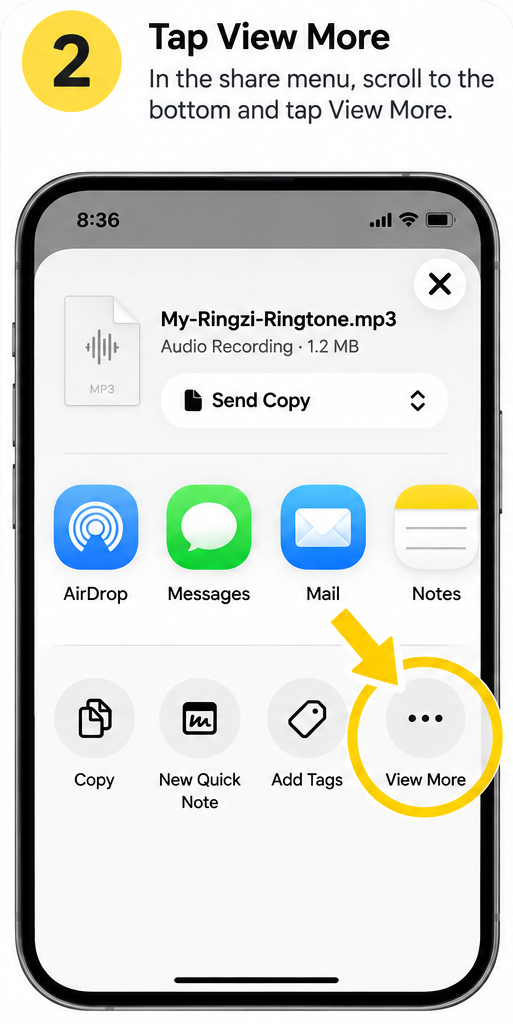
3. Tap Use as Ringtone
That's it 🎉
Your Ringzi is ready to use as your ringtone.
Change your ringtone later
- 1
Open Settings
Go to Settings, then Sounds & Haptics.
- 2
Tap Ringtone
Your added ringtones appear at the top of the list.
- 3
Choose one
Tap the ringtone you want. It's saved straight away.
Give one person their own ringtone
- 1
Open Contacts
Choose the person and tap Edit.
- 2
Tap Ringtone
Pick your custom ringtone from the list.
- 3
Tap Done
Now you'll know who's calling without looking.
Troubleshooting
- There's no Use as Ringtone option
- Some iPhones don't show it. Open the Can't see “Use as Ringtone”? section above for the GarageBand steps.
- My phone still plays the old ringtone
- Check Settings → Sounds & Haptics → Ringtone, and check the contact doesn't have a different ringtone set.
- I don't hear anything
- Make sure the Ring/Silent switch or Action button isn't set to silent and Focus isn't on.
FAQ
Do I need iTunes to add a ringtone?
No. Recent iPhones can add a ringtone directly from the Share menu, and GarageBand works without a computer.
Can I use a custom ringtone as a text tone?
Yes, but text tones work best when they're short. See our notification sound guide.
Where are my custom ringtones stored?
In Settings → Sounds & Haptics → Ringtone, above Apple's built-in tones.