
iPhone Ringtone Maker
Custom ringtones for your iPhone
Create a ringtone on your iPhone, then set it right from the phone — no computer or iTunes needed. Ringzi shows you the Apple steps once your ringtone is ready.
Ideas to try on your iPhone
Creating a ringtoneMake your next call impossible to ignore.
Need an idea?
Free to try · No account or credit card needed to hear it.
Made for iPhone
Set it from your phone
Download your Ringzi and use Apple's Use as Ringtone option from the Share menu.
Per-contact ringtones
Give one person their own Ringzi in Contacts → Edit → Ringtone.
Text tones too
Make a short Alert Tone and set it as your iPhone Text Tone instead.
From idea to iPhone
- 1
Create your ringtone below and tap Add to iPhone to download it.
- 2
Open the downloaded Ringzi and follow the Apple steps shown in the guide below.
- 3
If Use as Ringtone doesn't appear on your iPhone, use the GarageBand option in the same guide.
Setting your Ringzi on iPhone
Once you've downloaded your Ringzi:
Open your downloaded Ringzi, then use the Apple Share button in the bottom-right corner.
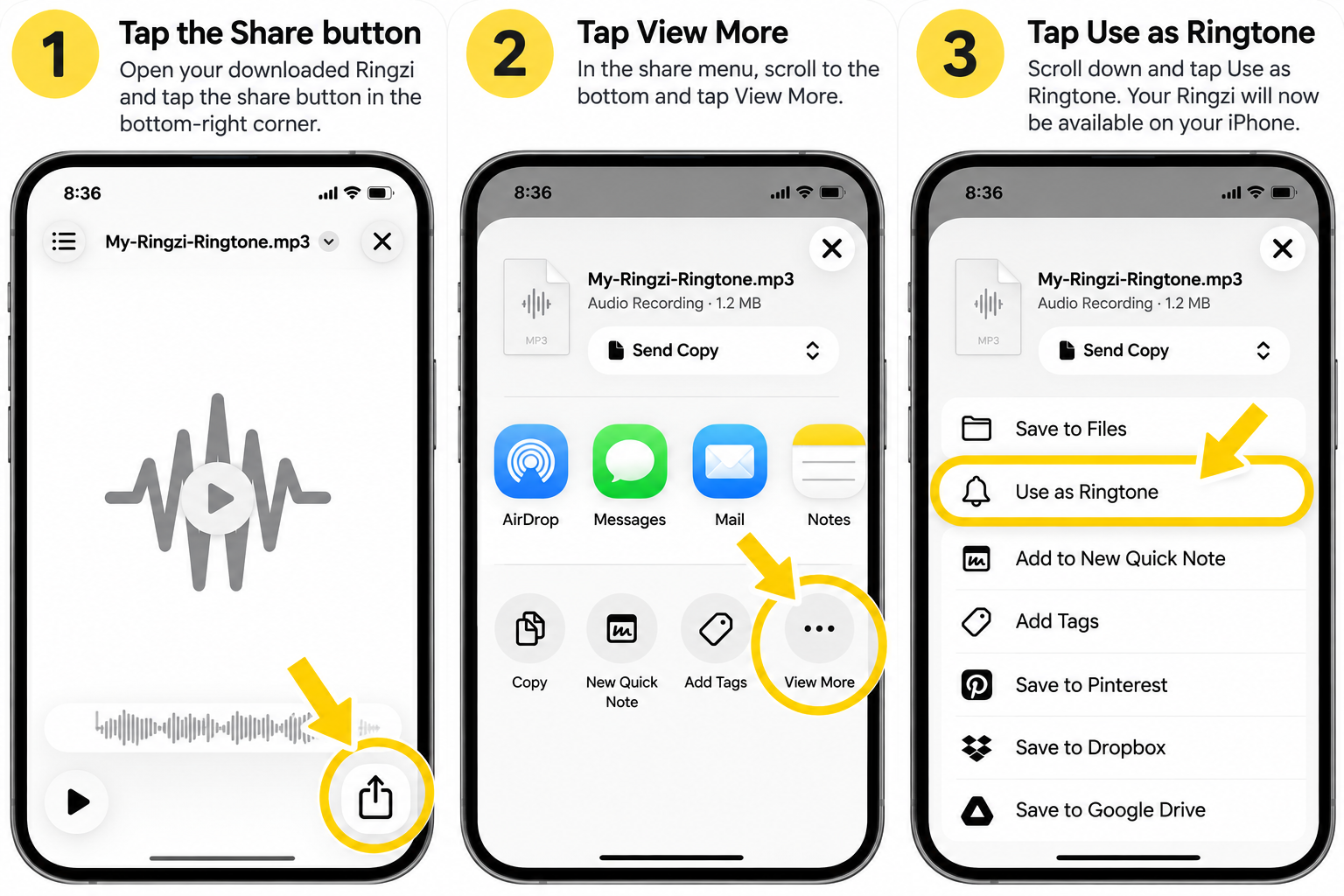
1. Tap Share
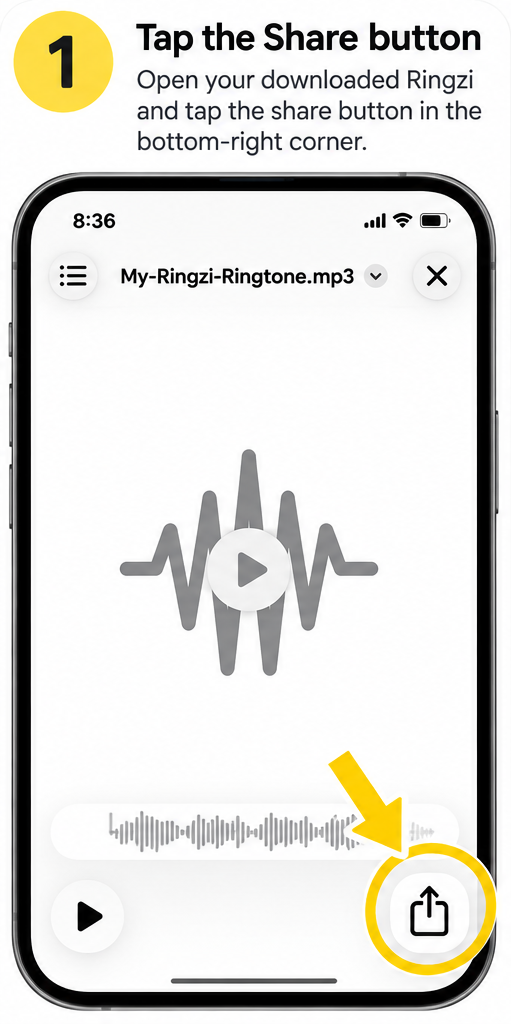
2. Tap View More
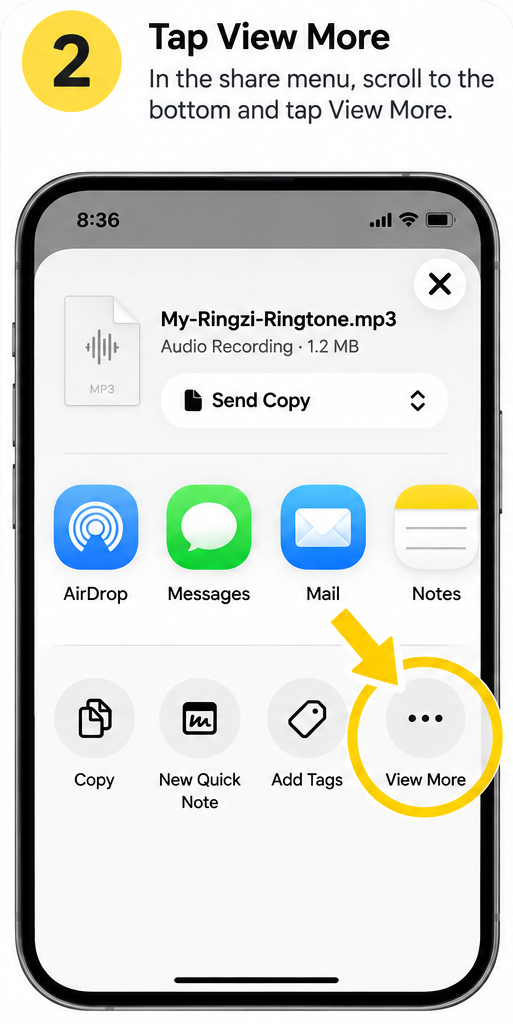
3. Tap Use as Ringtone
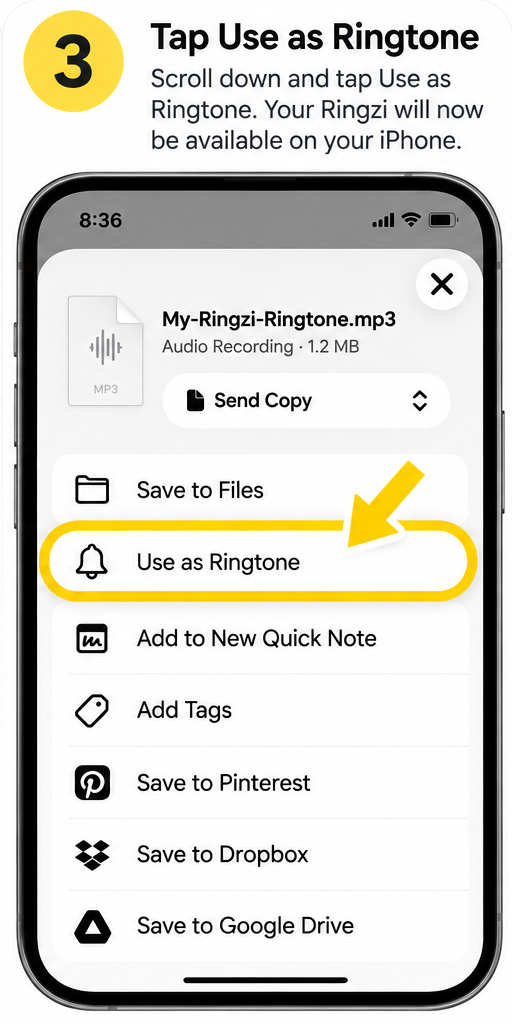
That's it 🎉
Your Ringzi is ready to use as your ringtone.
Questions
Can I make my own ringtone for iPhone?
Yes. Describe it, or record or upload your own sound, and Ringzi creates a ringtone file you can add to your iPhone.
How do I get my Ringzi onto my iPhone?
Download it, open it, tap the Apple Share button, then View More and Use as Ringtone. Some iPhones don't show that option — GarageBand works as a backup, and Ringzi shows those steps too.
Can I use my Ringzi as a text tone?
Yes. Switch to Alert Tone to make a short sound, then set it under Settings → Sounds & Haptics → Text Tone. Ringzi walks you through it.
Does it work on Android too?
Yes. On Android your Ringzi saves to Downloads and you choose it in your phone's sound settings.
Make more with Ringzi
Or see everything on the Ringzi home page.